Questions and answers about Email-Services
How do I change my email signature in Webmail?
Sign in to EDIS Webmail.
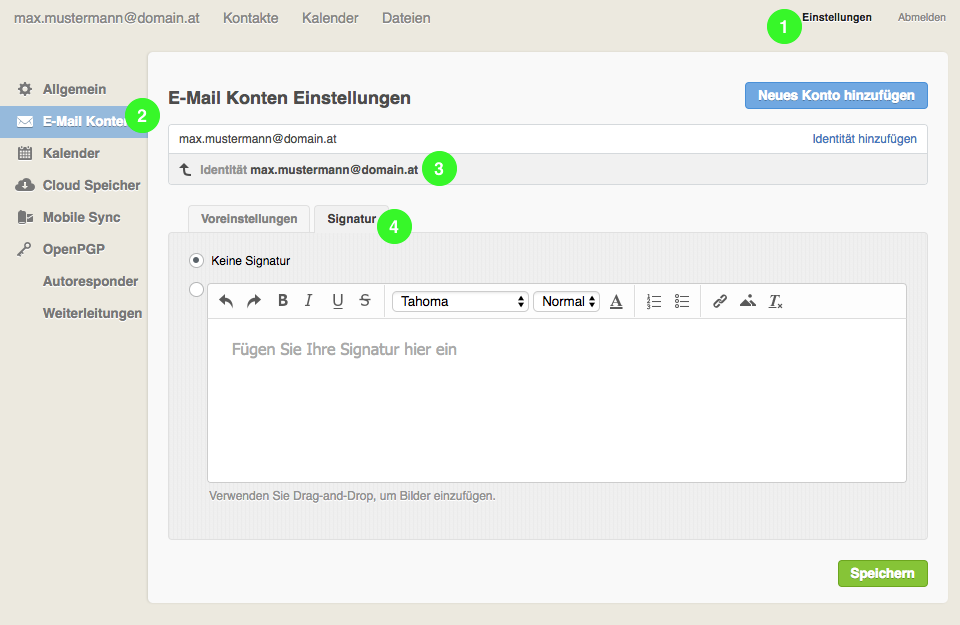
- Open “Settings” in the top-right corner.
- Select “Email accounts” on the left.
- Click your name next to “Identity”.
- Open “Signature” and enter your signature text.
- Click “Save” at the bottom of the page.