Questions and answers about Email-Services
How do I set up an out-of-office reply?
An out-of-office reply automatically responds to incoming emails, for example while you are on holiday.
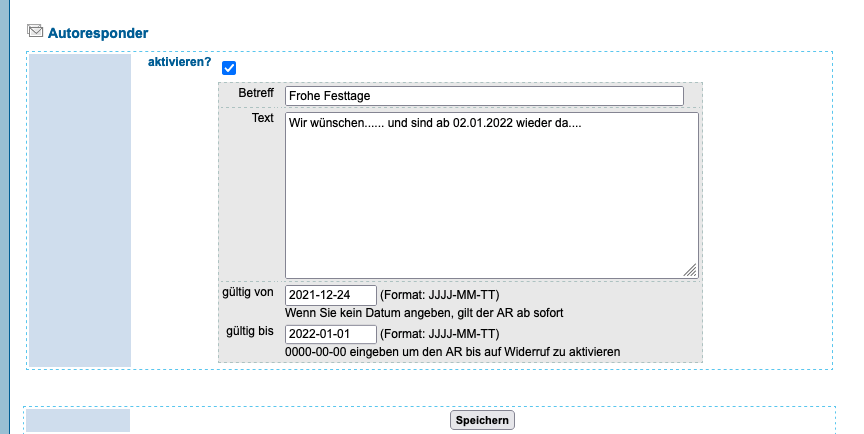
- Sign in at manage.edis.at and open the email configuration.
- Enter your out-of-office message.
- Choose the date range using the year-month-day format.
- Click “Save” at the bottom of the page.